

TikTok's upload spec and its ad policy are two different documents that disagree on resolution and file size — most guides quote the wrong one.
Every "TikTok Ad Specs" Post on Page One Says MP4 and MOV Only. TikTok's Own Page Doesn't.
I went and read the actual help centre articles this week. All of them (a very good refresher and reminder of my good old days in Singapore’s TikTok office. YES, only good times are remembered!!).
Auction in-feed, reservation in-feed, TopView, Spark, Carousel, Branded Mission, Pangle, the lot. That’s a lot of products.
Here's what TikTok's auction in-feed spec page actually lists as accepted formats:
.mp4, .mov, .mpeg, .3gp, .avi
Five. Not two. 🙏
📊 Supported file types for auction in-feed video ads — TikTok Auction In-Feed Ads.
Does it matter practically? A bittttt. If you've got a legacy .avi or an .mpeg export sitting in a client folder, you don't need to transcode it to get past the uploader. But the bigger point is what it tells you about the rest of the numbers in those articles: nobody's checking them against the source.
So let's fix that properly and educate ourselves on specifications 👆
Bookmarking this is optional. Downloading it isn't. Grab the free one-page TikTok Ad Specs Sheet — every format, resolution and file limit on a single printable page.
Get the Free PDF →The Master Spec Table (2026)
Bookmark this one 🔖
Every figure traces back to a TikTok-owned URL, and where TikTok publishes no requirement, this table says "not published" instead of inventing a number - as always my full disclaimer is to always refer back to the actual TikTok source to validate ok!
TikTok Ad Specs — Master Reference, 2026
Every figure below is taken from TikTok's own Business Help Center. Where TikTok publishes no requirement, this table says so rather than inventing one.
Swipe or scroll each card for the full spec.
| Ad Format | Aspect Ratio | Resolution | File Type | Codec | Max Size | Duration |
|---|---|---|---|---|---|---|
| In-Feed (Auction) | 9:16, 1:1, 16:9 | ≥540×960 / ≥640×640 / ≥960×540 (use 1080×1920) |
.mp4, .mov, .mpeg, .3gp, .avi | Not published | ≤500 MB | Up to 10 min technically — policy caps ads at 5–60s |
| Spark Ads | No restriction | No restriction | .mp4, .mov | Not published | No restriction | Up to 10 min |
| Reservation In-Feed (incl. Reach & Frequency) |
9:16, 1:1, 16:9 | ≥540×960 / ≥640×640 / ≥960×540 | .mp4, .mov, .mpeg, .3gp | Not published | ≤500 MB | 5–60s (9–15s recommended) |
| TopView | 9:16 only | ≥540×960 | .mp4, .mov, .mpeg, .3gp | Not published | ≤500 MB | 5–60s (9–15s recommended) |
| Carousel Ads | 16:9, 1:1, 9:16 | 1200×628 / 640×640 / 720×1280 | .jpg, .jpeg, .png | n/a — still images | ≤100 KB suggested per image | 2–35 images; music ≥2s |
| Image Ads (Global App Bundle / Pangle) |
9:16, 16:9, 1:1 | ≥720×1280 / ≥1280×720 / ≥640×640 | .jpg, .jpeg, .png | n/a — still images | ≤100 MB | n/a |
| Search Ads | Inherits in-feed | Inherits in-feed | Spark video + carousel images | Not published | Inherits in-feed | Inherits in-feed |
| Branded Mission | 9:16 only | ≥720×1280 | .mp4, .mpeg, .3gp, .avi, .mov | Not published | ≤100 MB | 12–15s strongly recommended |
Bitrate is not one number: auction in-feed requires ≥516 kbps, while TopView, reservation in-feed and Branded Mission require ≥2,500 kbps. Sources: TikTok Auction In-Feed Ads, TopView ad specifications, Specifications for Carousel Ads, About Spark Ads, Ad Format and Functionality policy.
One thing that table can't show cleanly, so read it here: bitrate isn't one number. Auction in-feed asks for ≥516 kbps. TopView, reservation in-feed and Branded Mission all ask for ≥2,500 kbps — nearly five times higher.
📊 TopView bitrate requirement of ≥2,500kbps — TopView ad specifications.
Export a TopView creative at your in-feed preset and you've shipped it under the required specs!
Duration: Two Official Numbers, and Only One of Them Will Save You
TikTok's auction in-feed spec page says video duration is "up to 10 minutes." TikTok's advertising policy page says: "The duration of the ad must be a minimum of 5 seconds, and a maximum of 60 seconds"
📊 The 5–60 second policy cap on ad duration — TikTok Ads Policy: Ad Format and Functionality.
Both are true at the same time, and they operate at different gates:
- The uploader will accept your 4-minute file. It passes the technical validation.
- The review will then reject it on policy.
So the "5–60 seconds" number in every spec article isn't wrong — it's just filed under the wrong heading. It's not a file requirement. It's a content rule. Which matters, because content rules have exceptions and regional variations that file requirements don't.
And Spark Ads sit outside this entirely: TikTok caps them at 10 minutes with no ratio, resolution, file type, bitrate or file size restriction at all.
📊 Spark Ads video maximum duration of 10 minutes and absence of other restrictions — About Spark Ads.
For most creators and SME campaigns the practical answer hasn't changed: 15–30 seconds. TikTok itself recommends 9–15s for TopView and reservation in-feed.
Don't bother padding. TikTok audiences clock filler instantly 😶🌫️
Resolution and Aspect Ratio: The Minimum Is a Trap
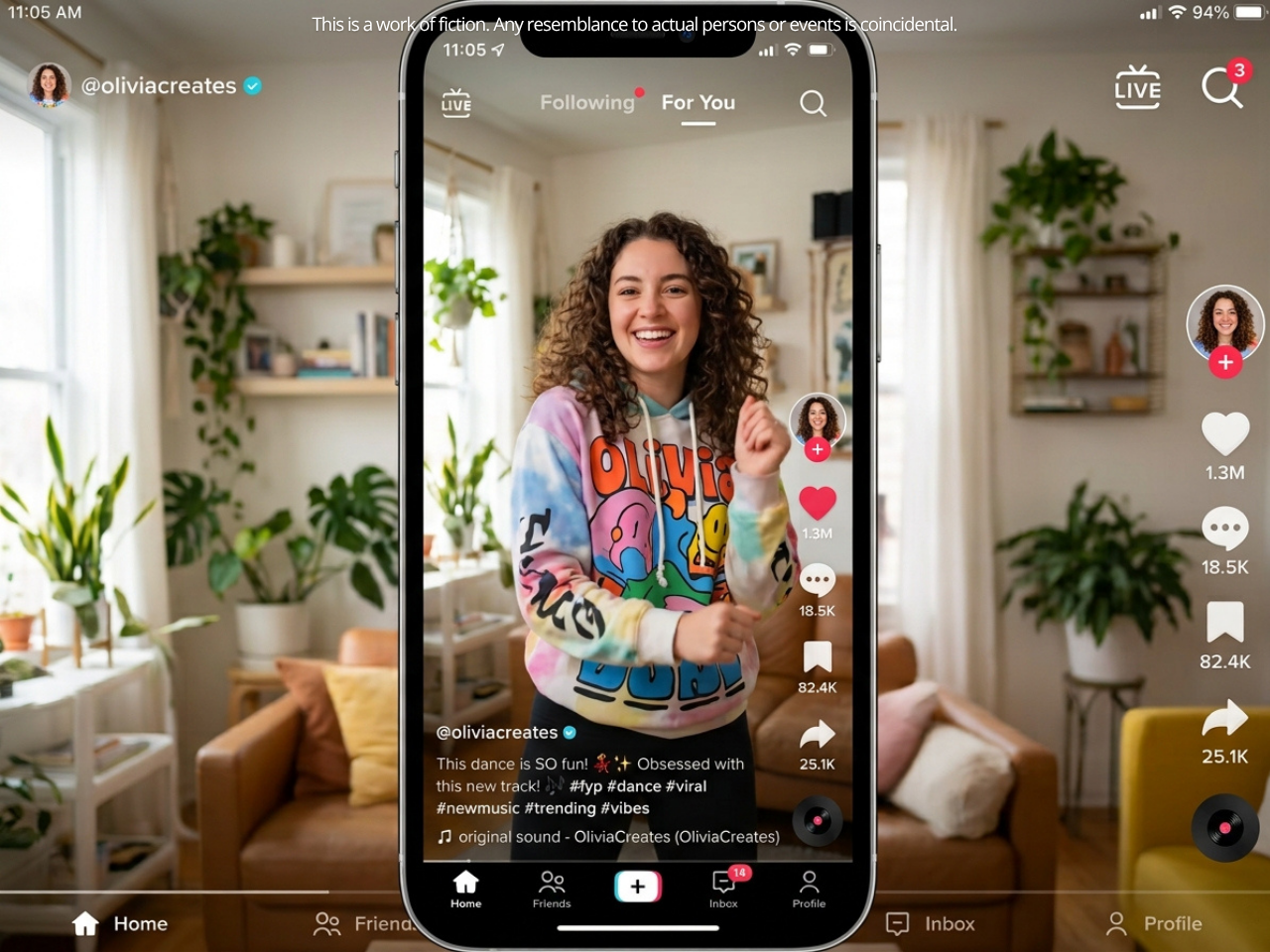
Three ratios pass. One is the actual answer ☝️
- 9:16 (vertical) — use this. Minimum 540×960px. Export at 1080×1920. It's the only ratio TopView and Branded Mission accept at all.
📊 TopView accepts vertical 9:16 only — TopView ad specifications.
- 1:1 (square) — minimum 640×640px. Fine when one creative has to run across placements without a re-export.
- 16:9 (horizontal) — minimum 960×540px. Technically allowed. Consistently the worst performer in-feed. Black bars, a smaller tap target, and the general vibe of an ad that wandered in from YouTube.
Here's the trap: TikTok's numbers are minimums, and minimums always pass. A 540×960 file clears the spec check and then looks soft against native content sitting either side of it in the feed. You pay the same CPM for a worse-looking ad. TikTok's own creative guidance says shoot at at least 720p.
The Repurposed Content Trap
Still the single most common way a good creative gets bounced. You've been performing on Reels at 4:5, you export, you upload, you bounce. Then you wonder.. why? 🫥
Ratios that will definitely fail TikTok's ad review - so this should be second nature prior to uploading content that has worked for you before:
❌ 4:5 — Instagram feed native
❌ 9:18 / 9:19.5 — raw iPhone capture including the home bar area
❌ 2:3 — Pinterest-optimised
Canva and CapCut will both quietly hand you a near-miss if the project dimensions are a few pixels off. Verify the actual pixel count in your export settings, not the ratio label in the project panel.
The Safe Zone: Where 38% of Your Frame Goes to Die
TikTok's UI sits on top of your creative. Always.
Your logo, your price, your legal line, your CTA — if any of it lands under TikTok's chrome, it may as well not be in the file.
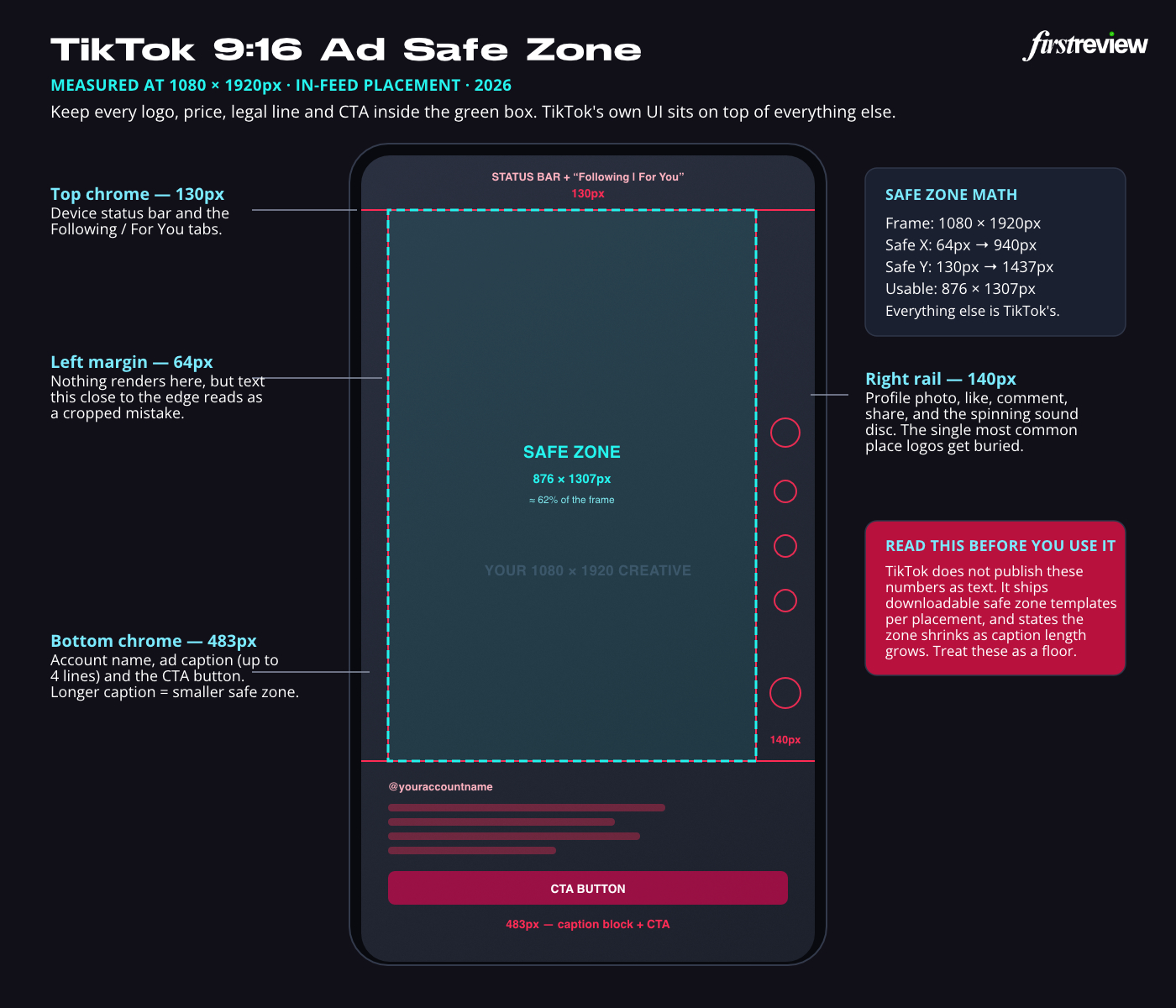
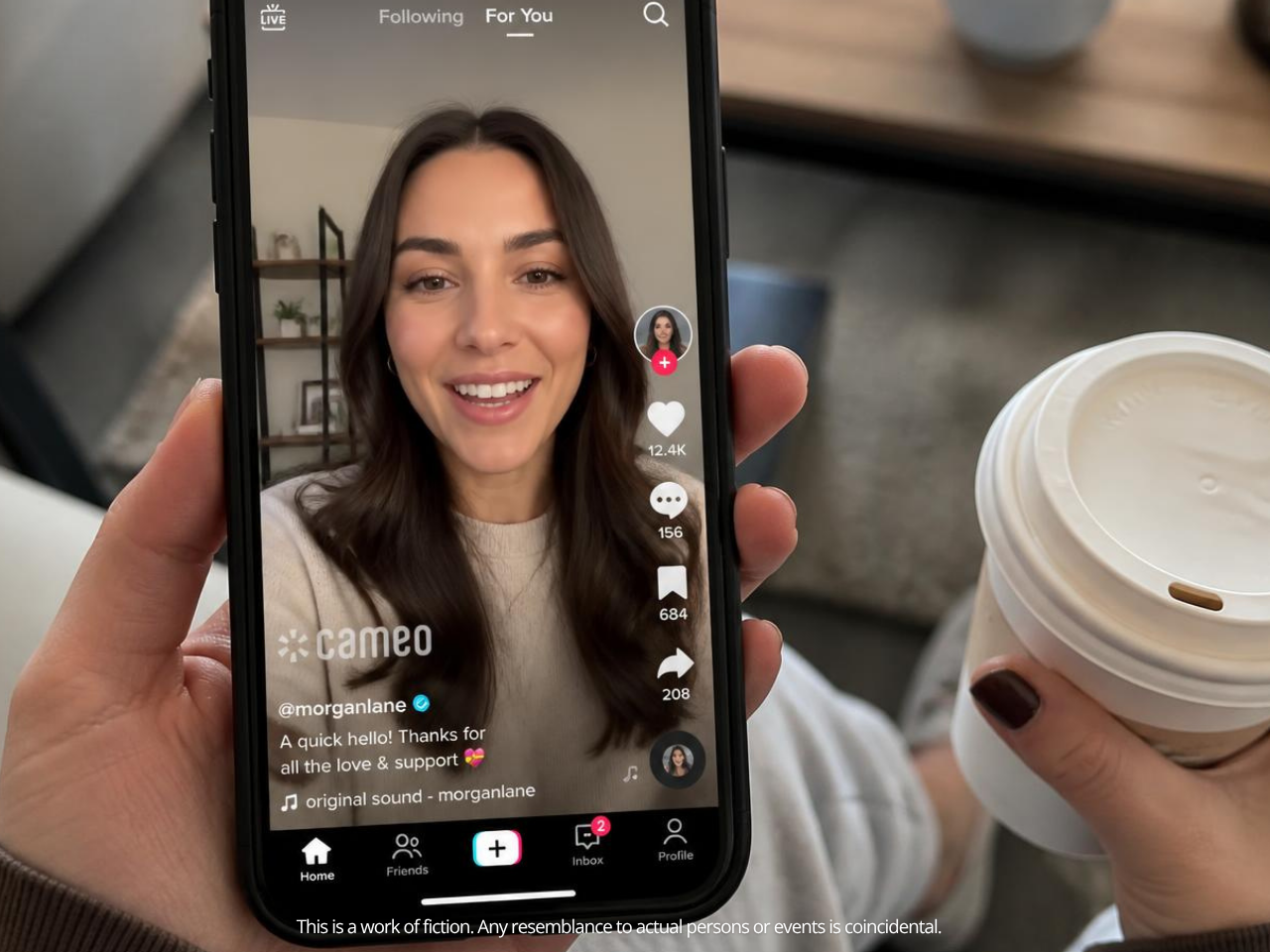
TikTok publishes safe zone guidance as downloadable template files per placement rather than as text, and it says the plainest thing in the whole help centre: "the longer the caption, the smaller the safe zone will be" Refer to this source to get what I mean about “safe zone.” It it VERY IMPORTANT!
Measured against a 1080×1920 frame with the ad caption and CTA button rendered, here's what you're actually working with:
| Edge | Reserved | What sits there |
|---|---|---|
| Top | 130px | Device status bar + "Following | For You" tabs |
| Bottom | 483px | Account name, ad caption (up to 4 lines), CTA button |
| Right | 140px | Profile photo, like, comment, share, sound disc |
| Left | 64px | Nothing renders — but text this close to the edge reads as a crop error |
| Usable safe zone | 876 × 1307px | Roughly 62% of the frame |
That bottom number is the one that hurts.
483 pixels — it is only a quarter of the vertical frame, is TikTok's, not yours. Every "our CTA is right at the bottom for maximum visibility" creative is putting its CTA underneath TikTok's CTA.
Be honest about where these numbers come from, because I'd rather you knew: TikTok does not publish them as text. It ships templates. The measurements above are taken from the rendered in-feed UI and should be treated as a floor; a long caption or an interactive add-on will eat further into them. If your brand asset is genuinely tight, download TikTok's placement-specific safe zone file from the spec page and check against that - that will work best if you have doubts whether your ads specs will pass.
Practical rule: keep everything that matters inside the centre 876×1307. Nothing critical in the bottom quarter. Nothing critical in the right 140px.
Here’s what I mean:
TikTok Ad Formats and Specs, One by One
In-Feed Ads (Auction)
The default. Everything in the master table above applies. Two extra limits worth knowing before you write copy:
- Ad caption: max 4 displayed lines before "See more" truncates it. Recommend 100 characters for Latin-script languages, 50 for CN/JP/KR.
- Account name: 20 characters (Latin) or 10 (CN/JP/KR), one line only.
- Profile photo: 98×98px, 1:1, .jpg/.jpeg/.png, under 50KB, with its own 66×66px safe zone at the centre
📊 Caption line limits, account name limits and profile photo safe zone — TikTok Auction In-Feed Ads.
Captions render in white, in a fixed font you can't customise, and they don't support clickable links, @ symbols or hashtags. ‼️ Writing a caption with a hashtag CTA is writing a caption that does nothing‼️
So don’t bother!!
Spark Ads
Spark Ads promote an organic post that already exists, yours or a creator's, with authorisation. Engagement lands on the original post, not on a duplicate.
Because the video is already on TikTok, the spec sheet basically evaporates: no ratio, resolution, file type, bitrate or file size restriction, max 10 minutes, caption can be blank, and hashtags, emojis and account tags are all permitted.
📊 Spark Ads specifications and permitted caption elements — About Spark Ads.
Two constraints people trip over:
- 10,000 Spark Ads maximum per TikTok Ads Manager account.
- A banned organic post is automatically rejected as a Spark Ad. And you must un-authorise a video before deleting it from the organic account, or the ad breaks.
There's also a distinction that catches agency teams: Spark Ads Pull (using an existing organic post) has no restrictions. Spark Ads Push (a new video pushed through the Spark flow for reservation buys) follows the non-Spark spec — 9:16 ≥540×960, .mp4/.mov/.mpeg/.3gp, ≤500MB, ≥2,500 kbps, 5–60s
📊 Spark Ads Push follows non-Spark specifications — TikTok reservation in-feed ad specifications.
Same product name, two different spec sheets.
TopView
The premium first-impression placement. Tighter than in-feed on every axis:
- 9:16 only - no square, no horizontal
- ≥540×960px, .mp4/.mov/.mpeg/.3gp, ≤500MB
- Bitrate ≥2,500 kbps - this is the one that catches people
- 5-60 seconds, 9-15 recommended
- Ad caption max 100 characters, 4 lines displayed
📊 TopView video, bitrate, duration and caption specifications — TopView ad specifications
If you're repurposing an in-feed export for TopView, re-export it!
Carousel Ads
Still images, swipe-able, one caption and one CTA for the whole set.
- 2 to 35 images (VSA carousel shows a maximum of 20)
- .JPG / .JPEG / .PNG, ≤100KB suggested per image — that's kilobytes, not megabytes
- 1200×628 (horizontal), 640×640 (square), 720×1280 (vertical)
- Music required: ≥2 seconds, .mp3/.wav/.m4a/.flac; uploads capped at 10MB, MP3
- One URL for all images on a standard carousel. Only VSA carousels (catalog-powered) give each image its own product link
The 100KB suggestion is the sleeper here. A 720×1280 JPEG at reasonable quality lands closer to 300–500KB. You will be compressing.
Image Ads
Worth being clear about what these are, because the name misleads: TikTok's static image ads don't run in the main TikTok feed. They serve on Global App Bundle and Pangle placements — CapCut, Fizzo, and the Pangle publisher network — as app open, in-feed, banner, interstitial and native ads.
- 9:16 ≥720×1280 (recommended), 16:9 ≥1280×720, 1:1 ≥640×640
- .jpg, .jpeg, .png, ≤100MB
- Ad description: 1–100 Latin characters (1–50 Asian). No emojis. Punctuation and spaces count
📊 Image ad resolutions, file types and character limits — Global App Bundle image ad specifications
Search Ads
Search Ads run on the TikTok search results page, keyword-targeted, and they don't require an active feed campaign to work.
- Supported creative: Spark Ads video and carousel image ads
- "Video and image formats are the same as in-feed campaigns, so creative can be repurposed from in-feed campaigns"
📊 Search Ads creative formats and repurposing guidance — Search Ads Creative
- Autoplayed video ads count as both a view and an impression; still images count as impressions only
- Interactive add-ons: display cards only for now — no stickers
📊 Search Ads formats, autoplay counting and add-on support — About Search Ads Campaign
The creative note that actually moves performance: TikTok tells you to make the first carousel image carry the product or brand plus text containing your keywords or selling points, and to align the creative to the keywords in that ad group. Generic creative in a keyword-targeted placement is wasted budget.
The Specs TikTok Refuses to Publish: Codec, Frame Rate and Audio Bitrate
Now the uncomfortable part.
I checked auction in-feed, reservation in-feed, TopView, Branded Mission, Global App Bundle, Pangle and video packages. None of them publish a codec requirement, a frame rate requirement or an audio bitrate requirement for standard video ads. The only fps figure anywhere is for Lottie template assets (≤30fps), which is a completely different thing.
So where did they come from? Almost certainly TikTok's organic upload guidance, or a documentation page that's since been retired, propagated blog to blog by other TikTok agencies until it read like the official specs.
Hmm. Real talk: that doesn't make the advice bad. It makes it advice, not a requirement, and you deserve to know which one you're reading.
What I'd still do, and why:
- Export H.264 in an MP4 container. Not because TikTok mandates it — it doesn't — but because it's the most universally decodable combination and it removes an entire class of "processing failed" errors on older infrastructure. Save the preset. Use it every time.
- Keep frame rate at 24, 25, 30 or 60. Standard rates. Odd variable-frame-rate exports from screen recorders are where playback stutter actually comes from.
- Don't obsess over audio bitrate. Obsess over audio existing.
Because that last one is in the policy, in writing.
The Audio Rule Is Real and It's Policy, Not Spec
TikTok's ad policy: "The ad must contain audio and it must not be of poor quality, such as having unclear or muffled sound"
📊 Mandatory audio and quality requirements — TikTok Ads Policy: Ad Format and Functionality.
Silent ads get rejected. It catches people in the dumbest ways. Facepalm here 🤦♀️
- A designer exports a "visual only" cut for internal sign-off and that's the file that gets submitted
- Audio gets stripped during compression to hit the 500MB limit
- Background music is pulled for licensing and the voiceover goes with it in the same edit (this is the most annoying tbh)
Play the exported file, start to finish, before you upload. Yes, the one you exported five minutes ago. Especially that one.
The Other Policy Rules That Read Like Specs
Same policy page, and all of these will bounce a technically-perfect file:
- "Ad content must be dynamic. Do not rely on static or still images as the primary element in your ad. Static images should not occupy more than 50% of the video." A slideshow with a music bed is not a video ad.
- Blurry, unclear or unrecognisable visuals are prohibited, as is incomplete or illegible text.
- Blurred or masked third-party watermarks are not permitted. Blurring out the TikTok watermark on a downloaded organic clip doesn't fix it, it's its own violation. If there is a watermark from another platform - remove it, or you will get flagged. Again, VERY IMPORTANT!
Your Pre-Upload Spec Checklist (2026)
Run this before every submission. Save it if it's useful — or better, fold it into a repeatable pre-upload workflow for your team so nobody has to remember it by hand.
File & format
◻ Container is .mp4 or .mov (the others are accepted, but these are the safe default)
◻ Exported H.264 - your saved preset, not the editor's "high quality" default
◻ File size under 500MB (under 100MB if it's Branded Mission)
◻ Bitrate matches the placement: ≥516 kbps in-feed, ≥2,500 kbps for TopView, reservation and Branded Mission
◻ Audio track is present, audible, and not muffled
Frame & composition
◻ Aspect ratio is 9:16, 1:1 or 16:9 - verified in pixels, not by the project label
◻ Resolution is 1080×1920, not the 540×960 minimum
◻ Everything critical sits inside the centre 876 × 1307px
◻ Nothing important in the bottom 483px or the right 140px
◻ No competing-platform watermarks, and none blurred out either
Duration & content
◻ 5–60 seconds (policy cap), 15–30 for most campaigns
◻ Hook lands in the first 3 seconds; TikTok recommends prioritising it within the first 6
◻ Motion throughout - static images under 50% of the runtime (also very important!)
◻ Caption under 100 characters, no hashtags or @ symbols (they won't render)
Turn this checklist into a PDF you actually keep.
Print it, pin it, send it to whoever exports your ads. One page, every format covered.
Frequently Asked Questions
Does TikTok accept AVI files for ads?
For auction in-feed ads, yes. TikTok's spec page lists .mp4, .mov, .mpeg, .3gp and .avi. Spark Ads are the exception: those are .mp4 or .mov only. Most spec guides say MP4/MOV across the board, which conflates the Spark rule with the general one.
What frame rate do TikTok ads need to be?
TikTok doesn't publish a frame rate requirement for standard video ads on any of its Business Help Center spec pages. Stick to a standard rate – 24, 25, 30 or 60 – and avoid variable frame rate exports.
Can a TikTok ad be longer than 60 seconds?
The uploader will accept up to 10 minutes, but TikTok's advertising policy caps ad duration at 60 seconds, so a longer file passes the technical check and then fails review. Spark Ads are the exception and those can run up to 10 minutes.
What's the actual TikTok ad safe zone in pixels?
On a 1080×1920 frame, roughly 130px at the top, 483px at the bottom, 140px on the right and 64px on the left, leaving about 876×1307px usable. TikTok publishes downloadable safe zone templates per placement rather than a text figure, and notes the zone shrinks as your caption gets longer, so treat these as a floor.
Do Spark Ads have different specs from normal in-feed ads?
Substantially. Spark Ads Pull inherits whatever the organic post already is, no ratio, resolution, file type, bitrate or size restriction, up to 10 minutes. Spark Ads Push, used for reservation buys, follows the standard non-Spark spec instead. Same name, two spec sheets.
Why does my TopView ad look worse than my in-feed ad?
Most likely bitrate. In-feed requires ≥516 kbps; TopView requires ≥2,500 kbps. Reusing an in-feed export for TopView ships it roughly five times under spec.
Is there a free tool to check if my TikTok ad is compliant before I submit it?
Yes — paste your ad script, caption or landing page copy into the free TikTok ad compliance checker for an instant compliance score, flagged risk areas, and the exact fix, no signup required.
Sources
Every figure in this post comes from one of these TikTok-owned pages. If you're a media buyer who needs to verify a number before a client sign-off, I recommend you go straight to these!
- TikTok Auction In-Feed Ads — specifications 👉 file types, resolution, file size, 516 kbps bitrate, caption and account name limits, profile photo safe zone
- TikTok reservation in-feed ad specifications (including Reach & Frequency) 👉 2,500 kbps bitrate, 5–60s duration, Spark Push rules, safe zone / caption relationship
- TopView ad specifications 👉 9:16-only requirement, bitrate, duration, 100-character caption limit, safe zone templates
- About Spark Ads 👉 10-minute maximum, absence of technical restrictions, 10,000-ad account cap
- Specifications for Carousel Ads 👉 image counts, resolutions, 100KB suggestion, music requirements, link behaviour
- Global App Bundle image ad specifications 👉 image ad resolutions, file types, description character limits
- Specifications for TikTok Pangle ad assets 👉 Pangle video and image resolutions and file sizes
- About Search Ads Campaign 👉 supported creative formats, autoplay impression counting, add-on support
- Search Ads Creative 👉 creative repurposing and keyword-alignment guidance
- Branded Mission ad specs 👉 9:16 requirement, 100MB cap, 2,500 kbps bitrate, caption limits
- Creative best practices for performance ads 👉 720p minimum, 9:16 orientation, hook timing, safe zone guidance
- TikTok Ads Policy: Ad Format and Functionality 👉 5–60 second duration cap, mandatory audio, dynamic content rule, watermark and legibility rules
Nailed the Specs? Here's What's Next.
Clearing the technical check means the uploader has let you in. Being In Review after is a separate door, and it trips people up in the same handful of ways every time. Here are some posts that might be useful after this:
- Misleading or unsubstantiated claims the single most common rejection trigger. See the 10 reasons TikTok rejects video ads.
- Unlicensed music. A trending sound that worked organically can get your paid ad pulled. Read copyright and music licensing in TikTok ads.
- A prohibited product category. Check it against the 2026 prohibited content categories checklist before you spend a cent.
- A missing paid-partnership disclosure. If a creator appears in the ad, the TikTok branded content policy applies.
- Undisclosed AI-generated content. Skip the AIGC toggle and TikTok labels it for you — see how AI disclosure on TikTok ads works.
- Not sure if your ad copy or caption is compliant at all? Run it through the free TikTok ad compliance checker for an instant score, flagged issues, and the exact fix before you spend budget getting it rejected.
Specs are the easy half. They're deterministic. Learn them once and they stop costing you. Easy!
This article reflects TikTok's official policy guidelines as published at the time of writing. TikTok updates its policies regularly, so always refer to the TikTok Advertising Policies page for the latest information. First Review accepts no liability for changes made after publication.


